



Here's how to purchase preference points in South Dakota for future-year hunts
You can purchase preference points in South Dakota from September 15 through December 15 at 11:59 p.m. CT. Purchasing these points will help you in the following year's draw.
You are only able to purchase one preference point per species, per season. So if you purchased a preference point during the draw earlier in the year, you cannot purchase a point during the point-only period.
Preference points in South Dakota may be purchased starting at age 10 for all species, except paddlefish, where there is no minimum age.
Research Tools
Throughout GOHUNT Insider, we have research tools that will enable you to find the perfect hunt quickly and easily. Whether you’re looking for your first Western hunt or want to see the best way to use your points, Insider is your ticket to unlocking the West.
Each research tool on GOHUNT will allow you to find a hunting opportunity. Combining Draw Odds with Filtering, plus our Application Strategy articles and GOHUNT Maps, those tools are everything you need to gain an edge and become more successful.
- South Dakota State Profile
- Filtering
- Draw Odds
- Application Strategies
- GOHUNT Maps
- Point Tracker
- Hunt Planner
- South Dakota Mule Deer Species Profile
- South Dakota Whitetail Deer Species Profile
- South Dakota Elk Species Profile
- South Dakota Antelope Species Profile
- South Dakota Rocky Mountain Bighorn Sheep Species Profile
- South Dakota Bison Species Profile
South Dakota Application Strategy Articles:
Application strategy articles are your go-to source of information before you apply. Every year, we publish new application strategy articles for every state and species.
These articles are packed with in-depth information with lots of data presented to showcase what's new in the state and how you can best use your points to pick up a tag.
South Dakota's preference point-only fees
The fees for purchasing South Dakota preference points are $5 for residents and $20 for nonresidents. There are no prerequisites to purchase the points in this state.
How To Purchase Preference Points in South Dakota
To save you some steps, click the link below, then continue to Step 3 below.
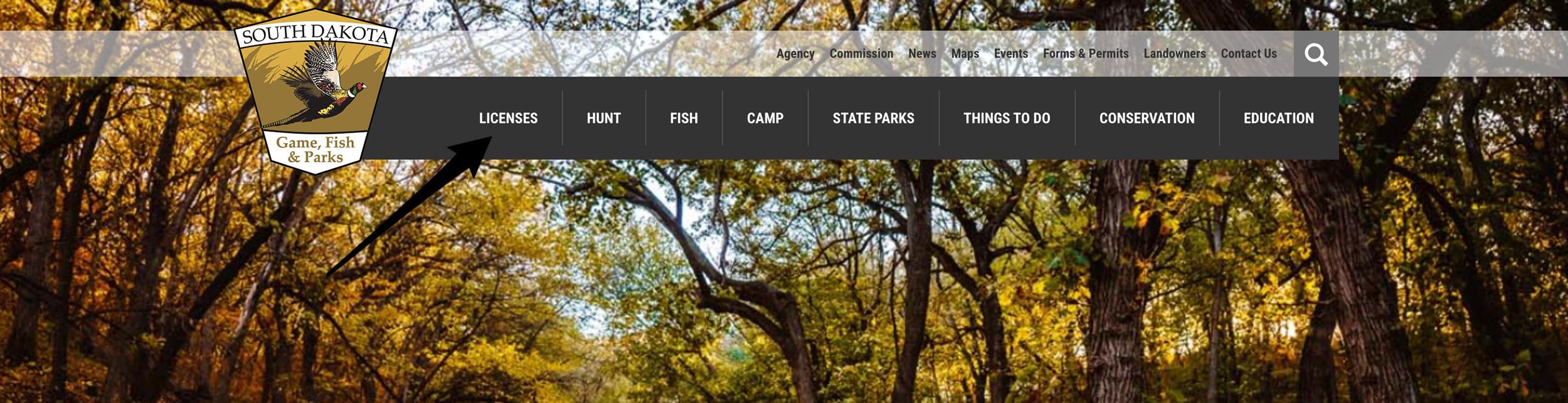
Step 1 - Navigating to the apply or buy section of South Dakota's website
Navigate to the South Dakota Game, Fish and Parks website. Then click "Licenses" at the top of the screen.
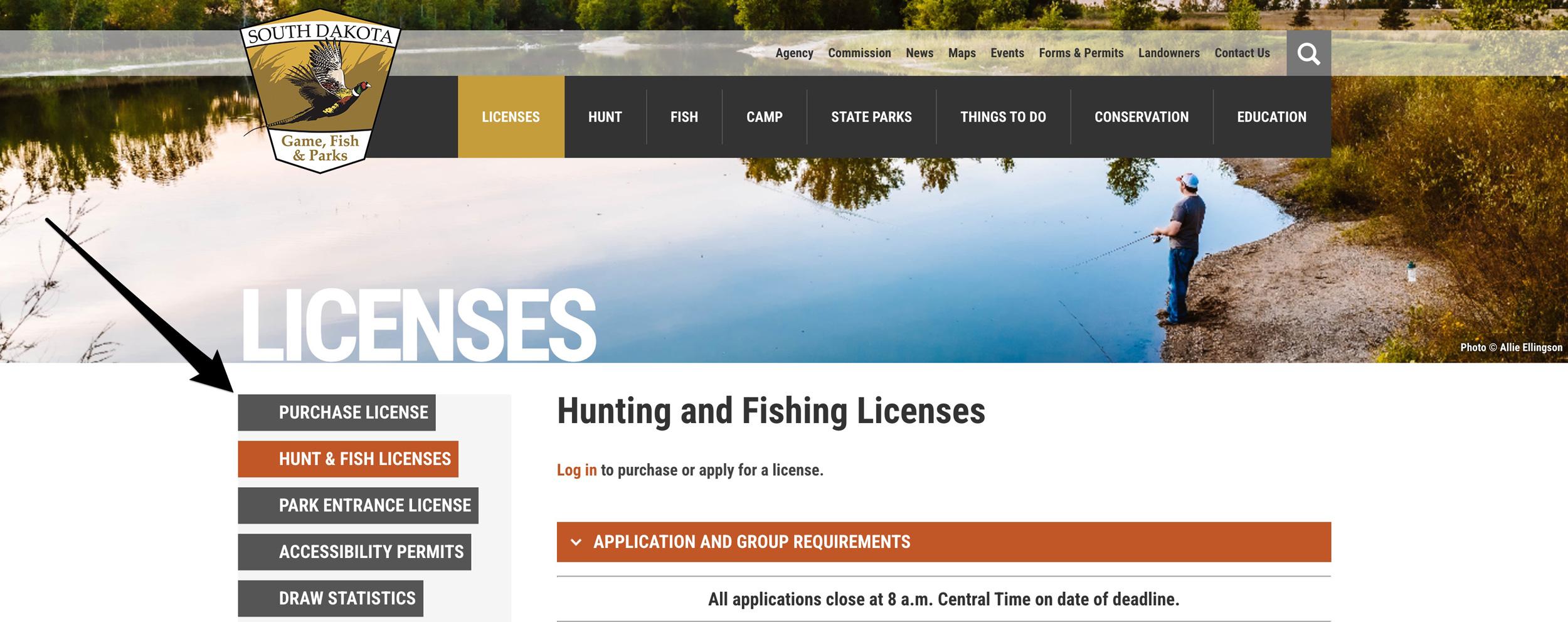
Step 2 - Purchase license section
On the left side of the screen, click on "Purchase License."
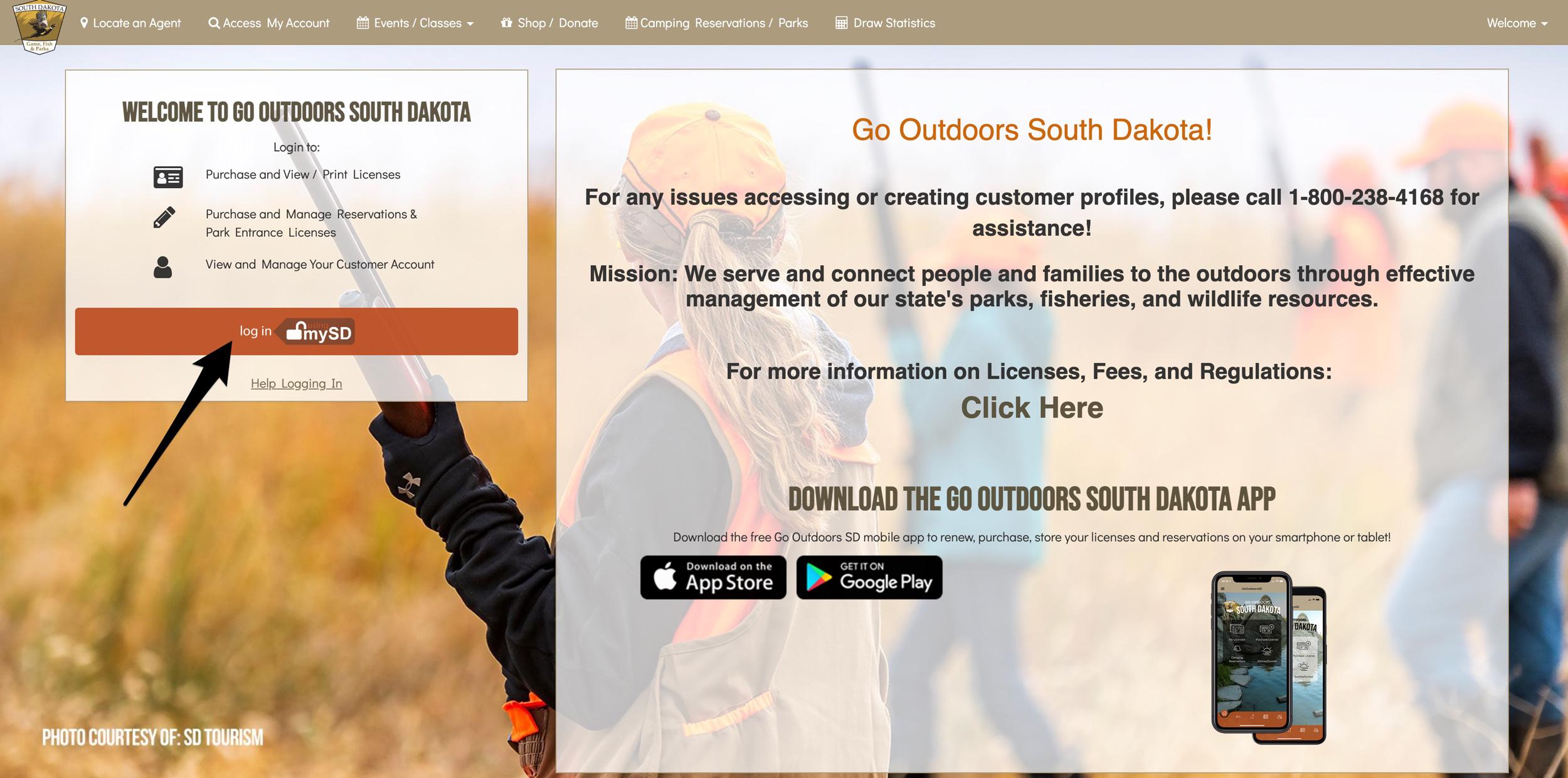
Step 3 - Go Outdoors South Dakota licensing website
You must now access the Go Outdoors South Dakota to access their online electronic application service page. Click "log in" on this page.
Step 4 - Enter your email to log in or create an account
You must enter your email address at this step. If you already have a licensing account with South Dakota Game, Fish & Parks, use the email address associated with your account.
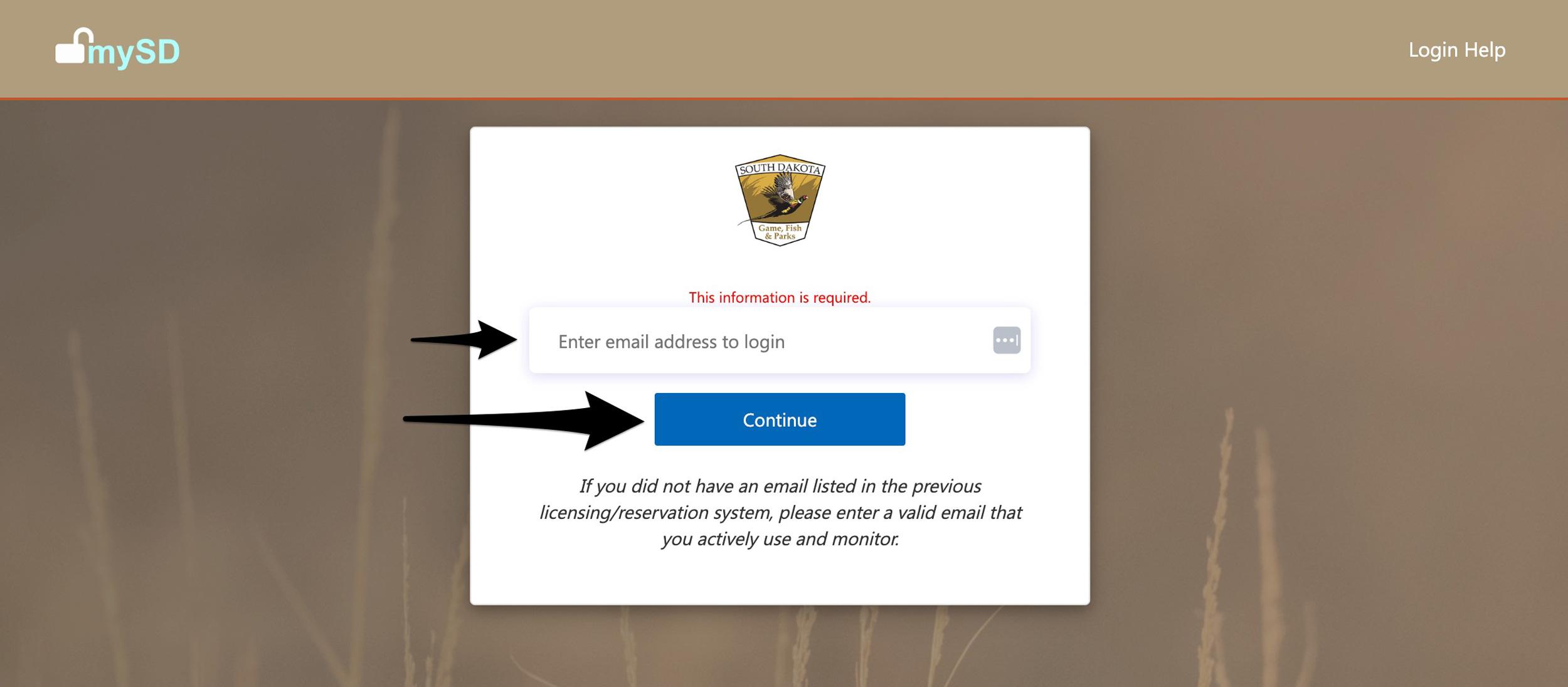
If you've never purchased points in South Dakota or bought or applied for a hunting license, enter in the email address you want to create an account with.
If their system recognizes the email, enter in your password.
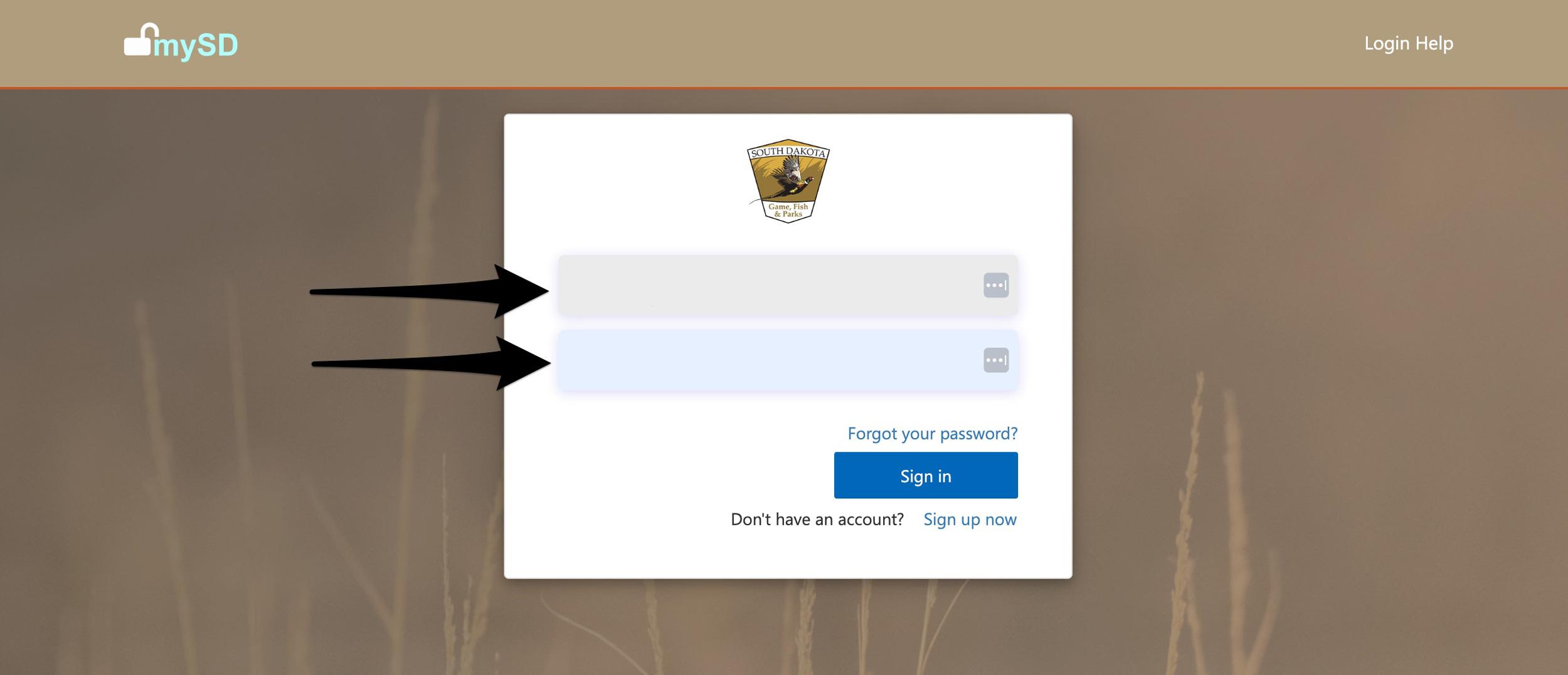
Or, if you need to create an account, click on "Sign up now."
Step 5 - GO OUTDOORS South Dakota licensing homepage
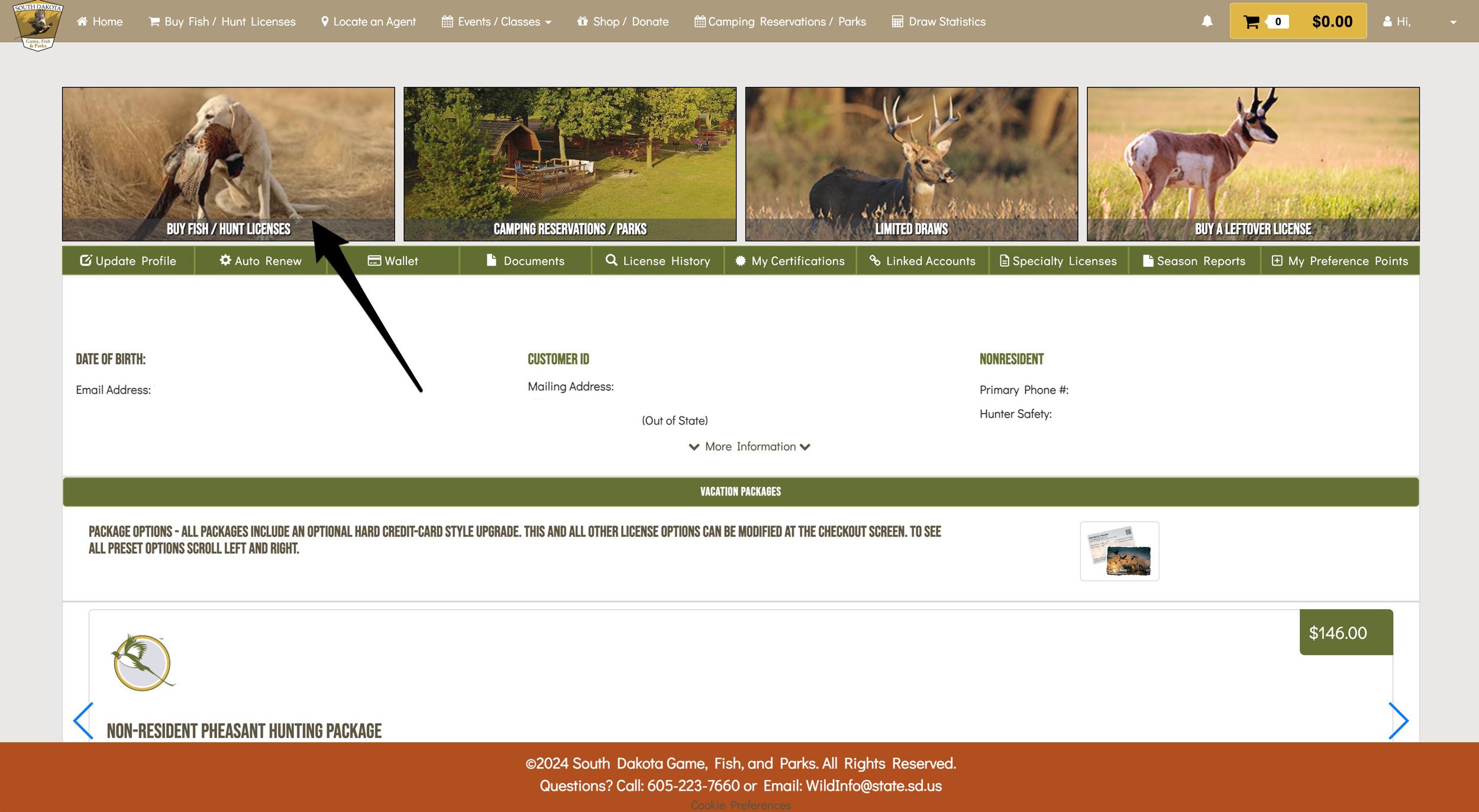
You've finally made it to the Go Outdoors South Dakota licensing homepage.
To purchase your South Dakota preference points, click on "Buy Fish/Hunt Licenses" at the upper left portion of the screen.
Step 6 - Dropdown to access South Dakota preference point purchase
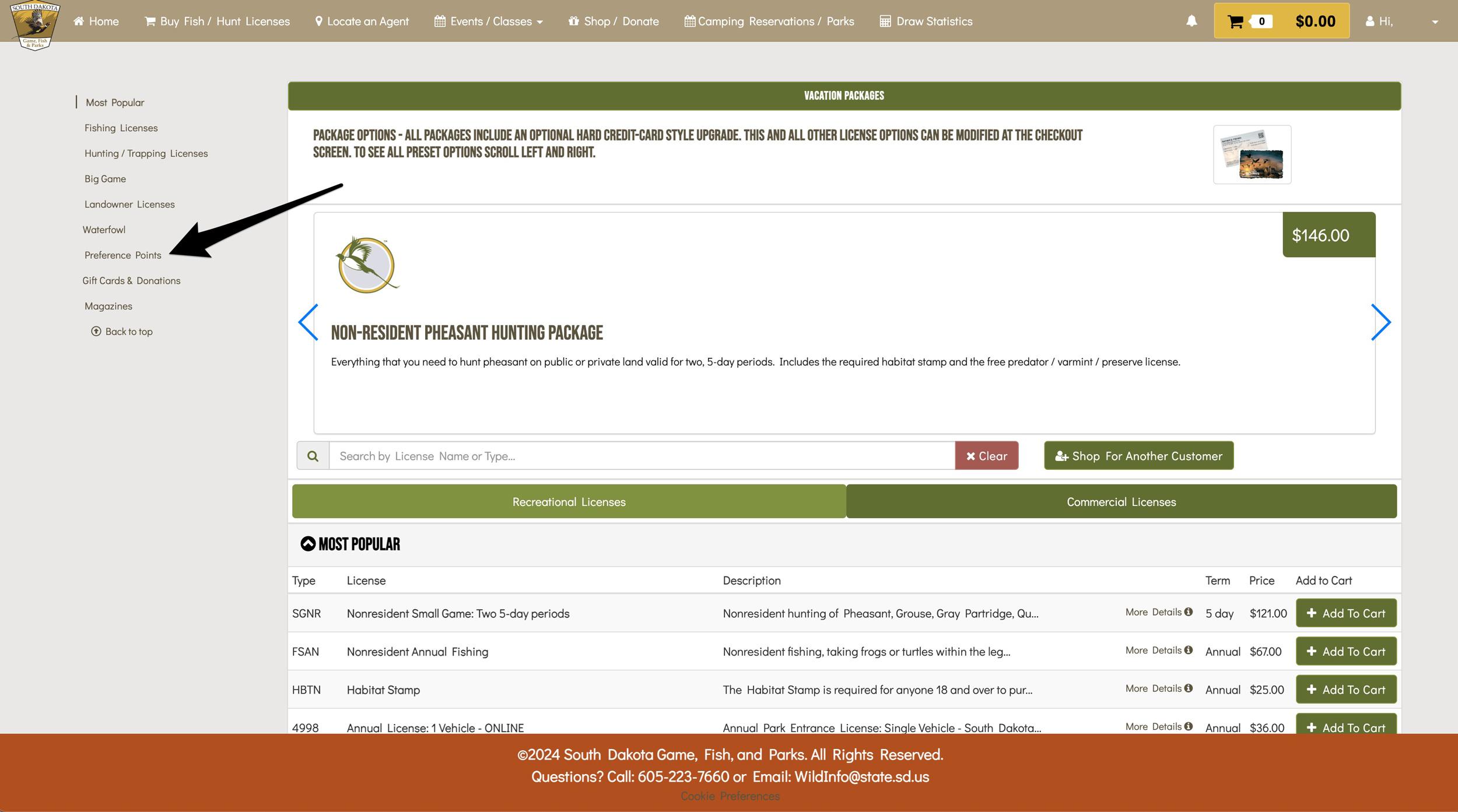
Now you'll land on an area to select from the many South Dakota license options. At the left of the screen, click on Preference Points, and you'll be taken to the preference point selection area.
Step 7 - Select the species in South Dakota you want to purchase preference points for
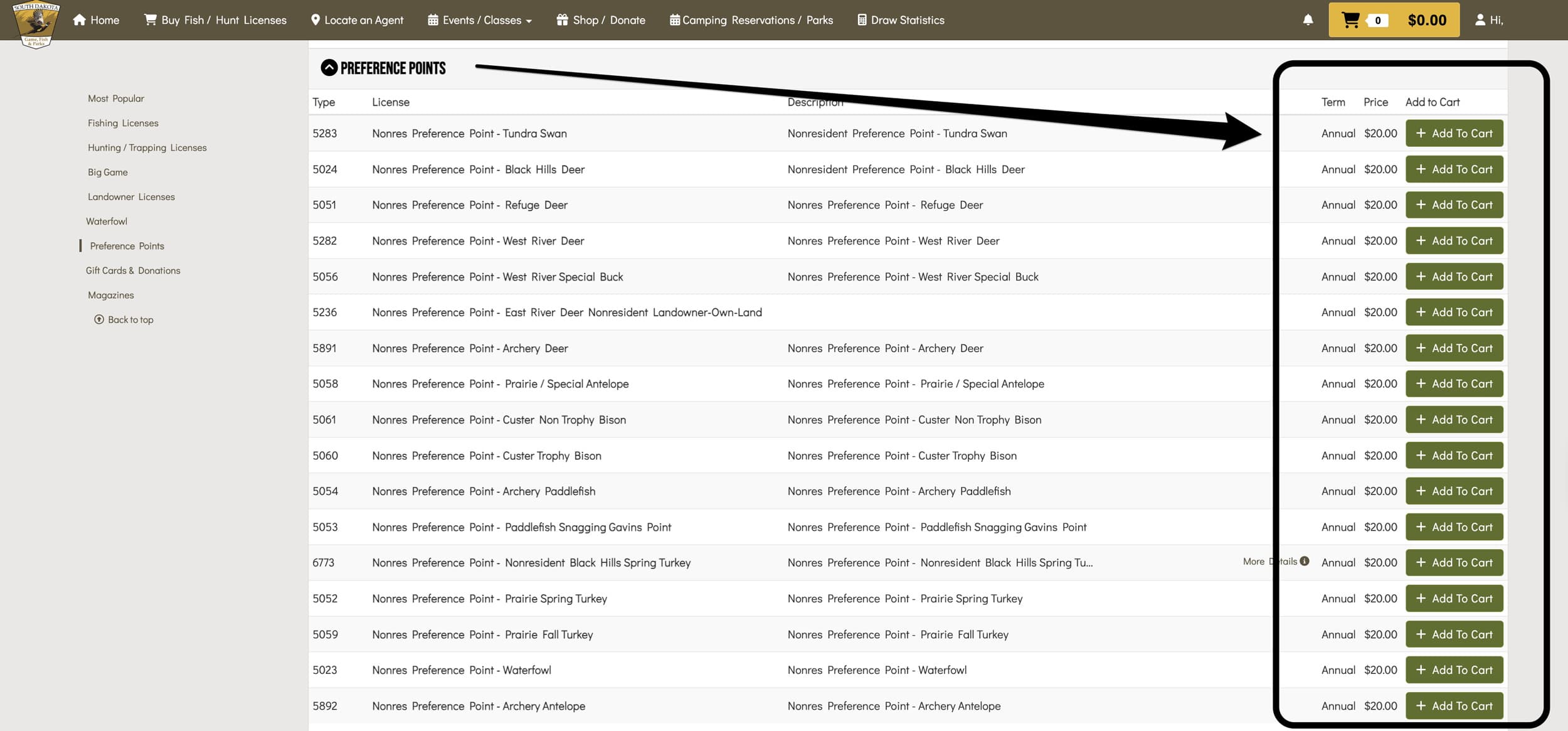
Now this is where you'll select the species you'd like to purchase preference points for in South Dakota. Click on "Add To Cart" next to each species for which you want to purchase preference points.
Step 8 - Checkout
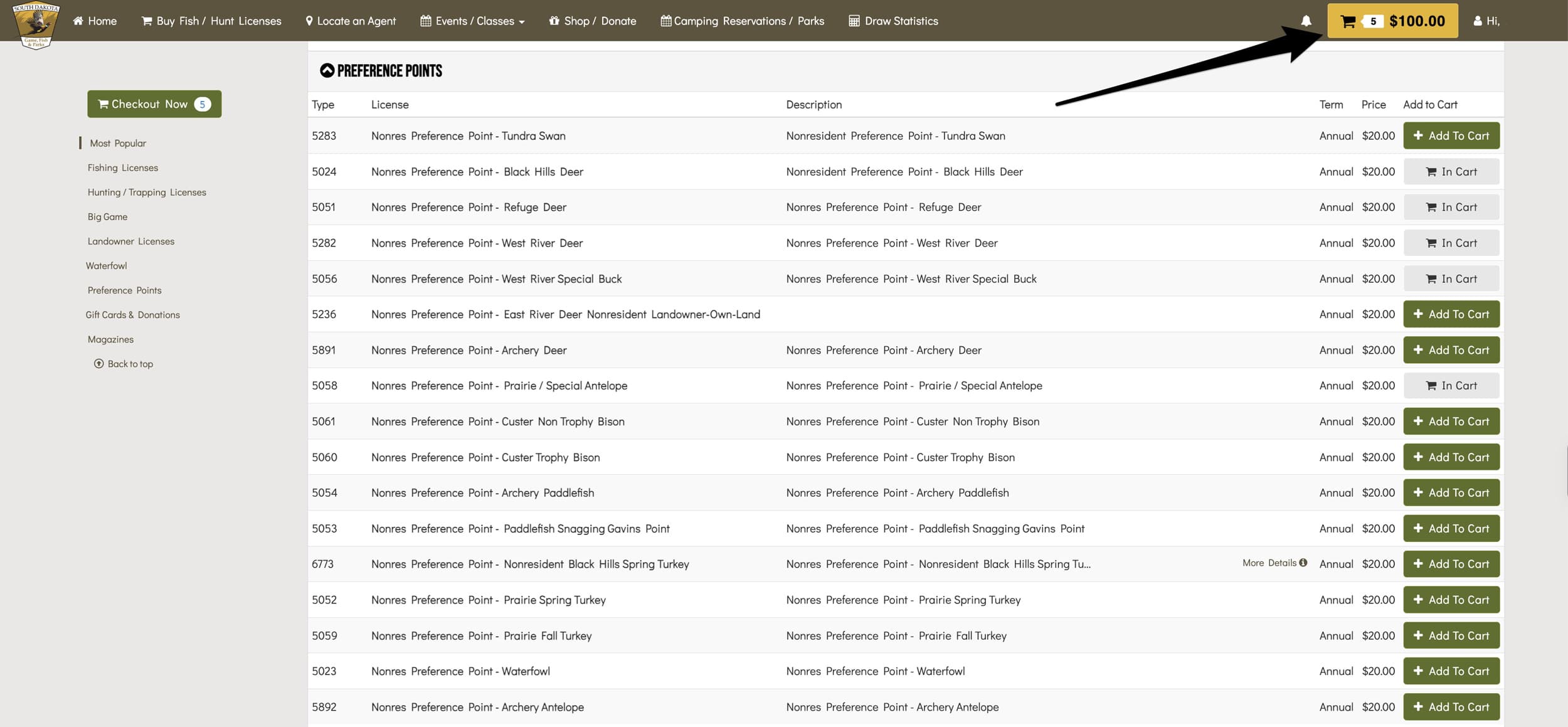
Jump up to the top section of your screen and click the shopping cart.
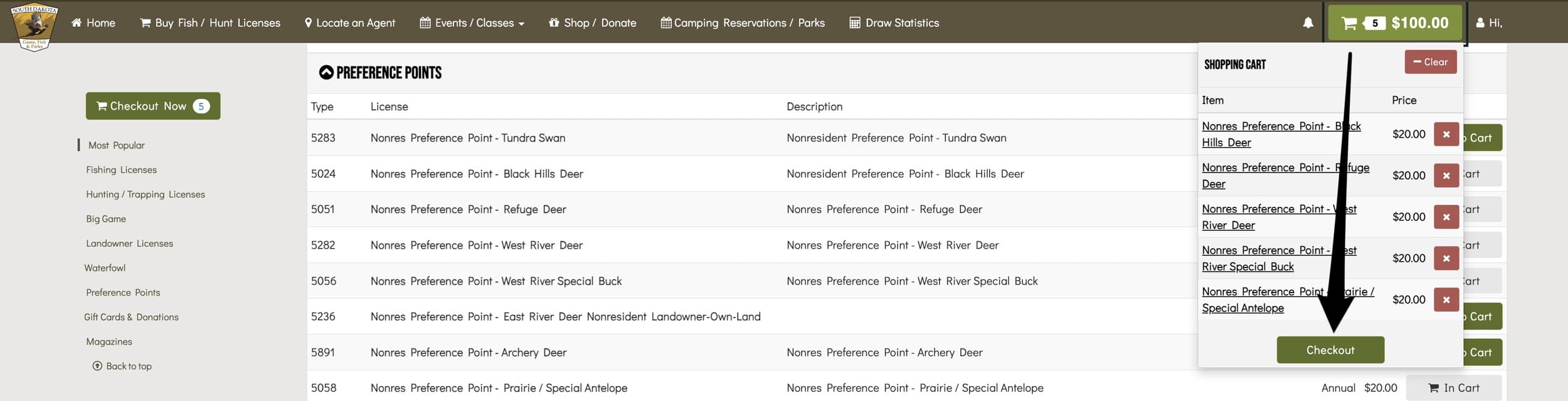
Then click on "Checkout."
Step 9 - Review your selection
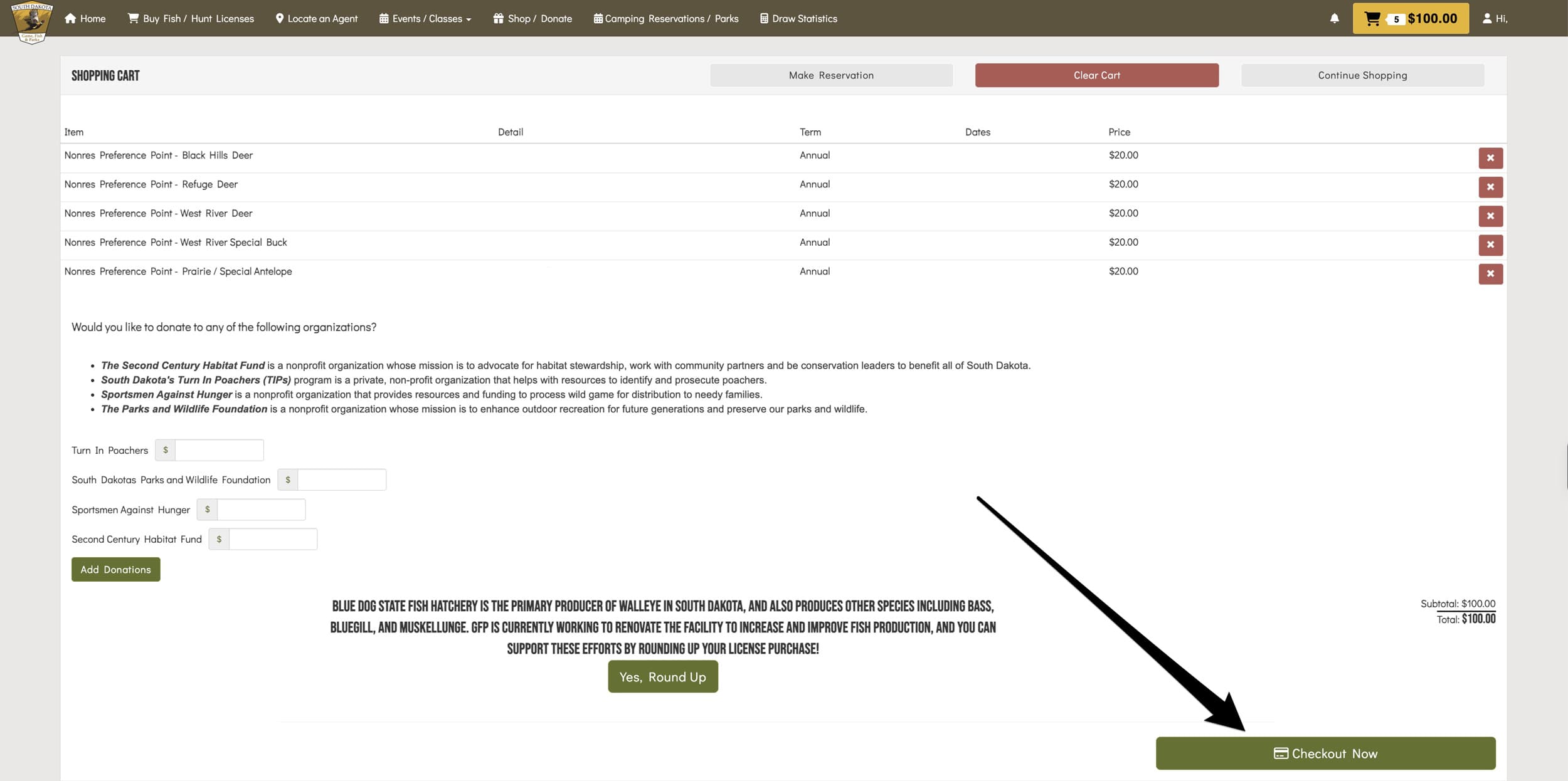
You'll get a chance to review all the preference points you selected. Click "Checkout Now" if everything looks good.
Step 10 - Purchase page
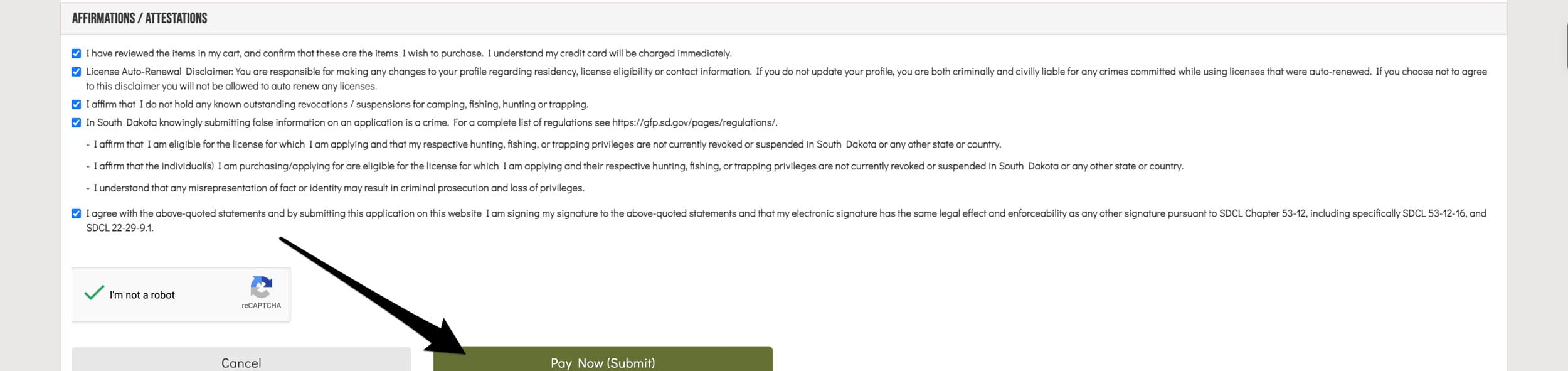
On this page, you'll enter your credit card and billing information. Then, at the bottom, make sure you check all of the checkboxes.
When finished, submit your payment by clicking on the "Pay Now (Submit)" button, and you've successfully purchased your South Dakota preference points, which will come in handy on future hunting applications.
In conclusion
Don't miss your chance to grab South Dakota preference points!
If you want a refresher on South Dakota, be sure to check out the application strategy articles, Draw Odds, and Filtering links below:
Update your information on GOHUNT's Point Tracker
One last step I like to take is to jump into GOHUNT’s Point Tracker Tool and update my preference point totals for South Dakota. This way, I know everything is in sync between the state's website and my Insider account. Point Tracker will then seamlessly transfer your point totals into Filtering and Draw Odds when you're researching hunts on both the web version of Insider and on our GOHUNT Mobile App.
This article was originally published on December 3, 2024, and has been updated.